Legal aid lawyers play a vital role in ensuring access to justice across the UK. Often working under intense pressure and with limited resources, they support individuals navigating legal challenges that can shape the course of their lives.
Each year, the Legal Aid Lawyers of the Year Awards (LALYs), organised by the Legal Aid Practitioners Group (LAPG), shine a light on the dedication, expertise, and humanity of practitioners working across the legal aid sector. These awards offer a rare moment of recognition for work that is essential yet frequently unseen.
As a long-standing supporter of the legal aid community and a sponsor of the LALYs, Accesspoint is proud to celebrate the practitioners who uphold the principle that justice should be available to everyone. Through its partnership with LAPG and its commitment to strengthening the operational foundations of legal aid practice, Accesspoint aims to help ensure that firms can continue delivering vital services to the communities that rely on them.
Why Legal Aid Lawyers Matter
Legal aid lawyers rarely seek the spotlight. Much of their work takes place quietly in courtrooms, community offices, and advice centres where they stand alongside individuals facing some of the most challenging moments of their lives.
Every day, legal aid practitioners support people dealing with housing insecurity, family breakdown, immigration difficulties, criminal allegations, and other life-altering issues. For many clients, these lawyers are the only barrier between them and navigating the justice system entirely on their own.
This work demands legal expertise, emotional resilience, and a deep commitment to fairness. It also requires practitioners to operate within a system marked by financial constraints, complex compliance requirements, and increasing administrative pressure.
Despite these challenges, legal aid lawyers continue to deliver an essential public service. Their contribution to the justice system is profound, even if it is not always widely recognised outside the profession.
Recognising Excellence: The LALYs
The Legal Aid Lawyers of the Year Awards exist to celebrate the individuals and organisations working tirelessly across the legal aid sector.
Organised annually by LAPG, the LALYs recognise practitioners whose skill, compassion, and determination have made a meaningful difference to their clients’ lives. Covering areas from criminal defence to family law and social welfare, the awards highlight the breadth and depth of work undertaken by legal aid professionals.
For many practitioners, the LALYs represent more than an awards ceremony. They offer a moment of shared pride for the legal aid community and an opportunity to recognise the commitment that practitioners bring to their work every day.
For many practitioners, the LALYs represent more than an awards ceremony. They offer a moment of shared pride for the legal aid community and an opportunity to recognise the commitment that practitioners bring to their work every day.
By spotlighting excellence within the profession, the LALYs help reinforce the importance of legal aid within the wider justice system and celebrate those working on the social justice frontline.
The Role of the Legal Aid Practitioners Group
The Legal Aid Practitioners Group plays a central role in supporting and advocating for the legal aid community.
LAPG has long been recognised as a trusted voice for practitioners, representing the interests of firms and lawyers who provide publicly funded legal services. Through guidance, training, policy engagement, and community-building, the organisation helps practitioners navigate the evolving challenges of legal aid practice.
In addition to organising the LALYs, LAPG contributes to national conversations about access to justice and the sustainability of the sector. By bringing together practitioners from across the profession, it ensures that their experiences and insights are represented in discussions about the future of legal aid.
For many firms, LAPG provides not only practical resources but also a sense of solidarity within a demanding and often under-resourced area of legal practice.
Accesspoint’s Relationship with LAPG
Accesspoint’s relationship with LAPG is built on shared values and a mutual commitment to strengthening the legal aid sector.
As a long-standing sponsor of the LALYs, Accesspoint is proud to help recognise the practitioners whose work upholds the principle of equal access to justice. Supporting the awards is one way of acknowledging the dedication and expertise of lawyers working in some of the most challenging areas of law.
Accesspoint has also collaborated with LAPG on the redevelopment of its website, helping to provide the organisation with a modern, accessible digital platform through which it can continue supporting practitioners across the UK.
These collaborations reflect a broader alignment between Accesspoint and the legal aid community: a shared belief that strong infrastructure, both human and operational, is essential to sustaining legal aid practice.
Supporting Legal Aid Through Better Systems
Supporting access to justice involves more than recognising the work of legal aid practitioners. It also means strengthening the systems that enable firms to operate effectively.
This thinking has shaped the development of Legal Aid Manager, Accesspoint’s file-management platform designed specifically for legal aid firms. The platform helps practices manage their work more accurately, streamline administrative processes, and operate efficiently within an increasingly demanding environment.
By helping firms build stronger operational foundations, solutions such as Legal Aid Manager contribute to the long-term sustainability of legal aid practice. In doing so, they support the broader goal shared by practitioners, LAPG, and the wider legal community: ensuring that access to justice remains available to those who need it most.
The Ongoing Importance of Legal Aid in Ensuring Access to Justice
Legal aid lawyers perform an essential role within the justice system, often working under considerable pressure to ensure that individuals can access professional legal representation.
Initiatives such as the Legal Aid Lawyers of the Year Awards provide an important opportunity to recognise the dedication and expertise of practitioners across the sector. Through the work of the Legal Aid Practitioners Group, the legal aid community continues to have a strong voice advocating for the importance of access to justice.
As a supporter of the LALYs and a partner of LAPG, Accesspoint is proud to stand alongside organisations and professionals committed to strengthening the legal aid sector. By supporting both the people and the systems that underpin legal aid practice, the goal remains the same: ensuring that access to justice continues to be available to the communities that rely on it.
When building an online presence, how do you know where to start?
As a law firm, you may find yourself asking Google questions such as:
How do I know if my branding is good?
Do I need a new logo?
Does my website need refreshing?
How many blogs a month should I write?
Do I need to invest in SEO?
Is it important for me to post on social media?
Why do I need to post on social media?
How do I remove bad Google reviews? (this is a common one!)
And the list continues…
In this article, I want to discuss the most important digital touch points that when powerfully combined, create a strong online presence across the entire board. We’re talking your identity, content creation (blogs), social media, your website, and most importantly–what all this stuff orbits around–your branding. So let’s start there.
Branding: brand guidelines are the rule book of your law firm’s appearance.
Branding is the first impression in everything you do. It’s not just a pretty logo with nice colours, it’s your tone of voice, what you stand for and who you are, wrapped up in a beautiful aesthetic that draws people in, then makes them want to come back for more when they understand just how brilliant you are.
Why might I need a Creative Designer?
To ensure your branding is spot on, you could do with instructing a Creative Designer to set out some brand guidelines for you (or tweak your existing ones). This covers everything from your logo and the rules around using your logo, your font and the different font weights used for headings versus body text, your ‘style’ such as shapes used throughout your branding and the exact colour palette you use. Eventually, your clients will begin to associate you with certain colours and appearances, but only if you remain consistent.
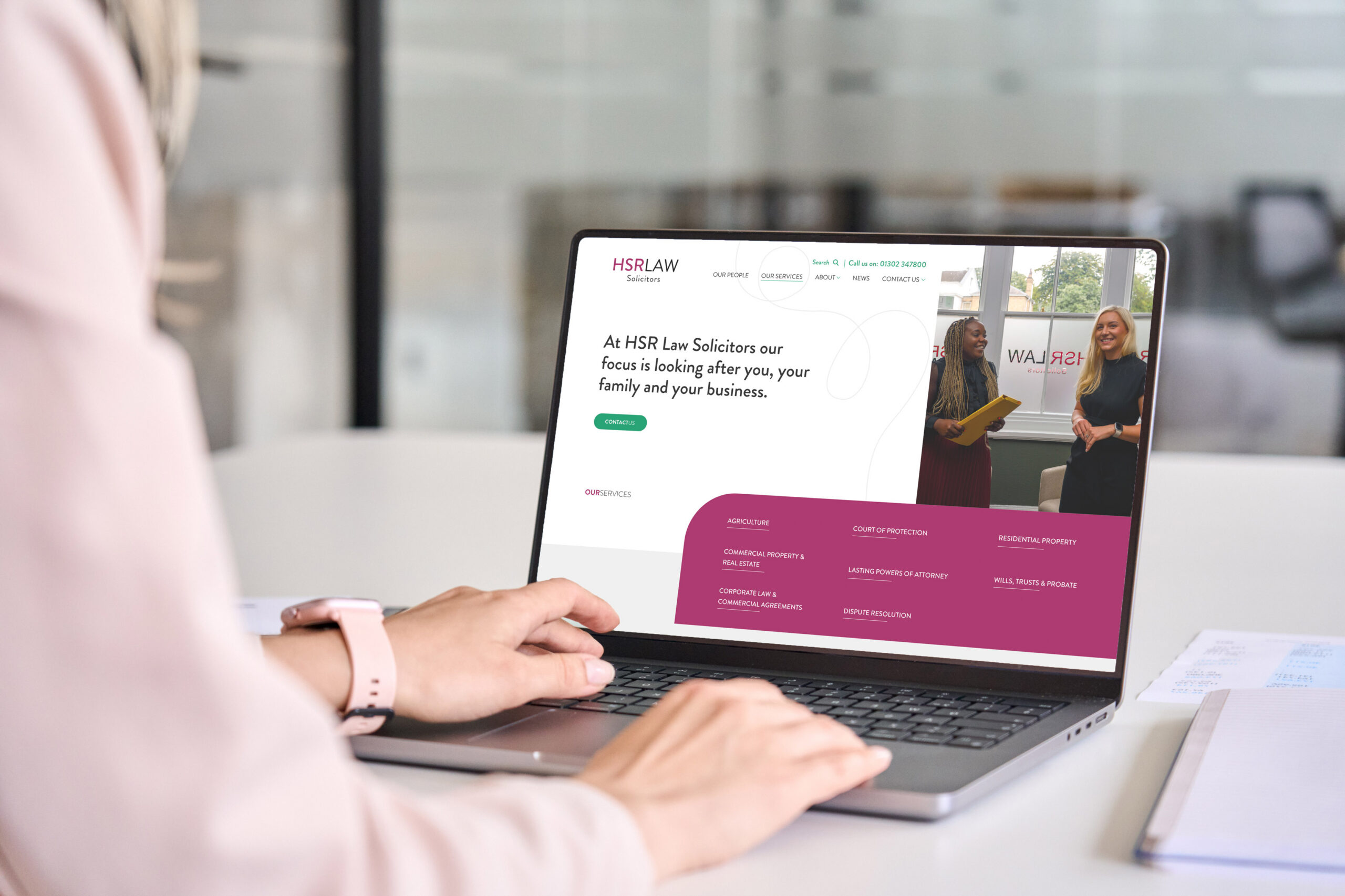
HSR Law Solicitors’ branding
For example, your website may use ‘Poppins’ font and was designed by Accesspoint. Then you hire an internal Marketing Assistant and they start posting on social media using ‘Impact’ font and decide to invert your logo so it’s black on a white background. All these inconsistencies happen when there is no ‘rule book’ in place. Aka, brand guidelines. And in turn, you look unprofessional and untrustworthy to the public eye.
Why are Brand Guidelines important?
Branding is a vital first step in securing the foundation of exactly who you are, what you’re trying to say and what you’re all about, all while ensuring professional presentation and consistency. If there’s ever a need to out-source promotional items such as business cards or flyers, having a well-defined and accepted set of brand guidelines is necessary to maintaining your desired branding and look. It gives you full control of who you are and how you portray yourself to your clients.
Your identity: let’s talk tone of voice
In the last 12-months, what we’re finding at Accesspoint is a shift from corporate, formal language to professional but friendly and approachable voices*. The psychology behind this always links back to our favourite phrase of people buy from people.
I know it’s not always possible to put everything in the language of your clients. Some terminology is just complex by nature. However, your tone of voice should be approachable and friendly, whilst still reflecting the values of your brand. It’s a tricky balance, but with the right help, is definitely achievable.
E.g. You want to get a client to contact you. Which sounds better?
If you are looking to instruct a solicitor, contact us today.
Looking for a law firm to help you? We’d love to chat.
Option 2 is approachable and less intimidating, but not so informal to the point it hurts your professional brand image. Make sure your tone of voice is right and consistent throughout your entire website. This must also match up with your tone of voice across social media.
Your tone of voice is for you to decide, but if you find yourself going through a re-brand or instructing an agency (hopefully us) for a new website, you may want to consider re-branding it.
*Identity is not a one-size fits all approach for law firms. We see firms that formed 150 years ago and have retained their corporate voice for consistency throughout their years of practicing. And that is absolutely FINE! That tone of voice may suit their branding and their positioning in the market, and they may find that that’s always worked for them and changing it now would be really strange. If this example applies to you and your firm, be proud of your legacy and the way you do business.
Your website: knowing when to get a new one is tough
You’re not an expert in websites and you’re not expected to be. That’s why there are specialists like us here to help you with this decision so you know when it’s the right time to invest in a new website.
If you’re noticing your website is slow, looks like it doesn’t belong in 2026, and you’re struggling to bring in any business through it, you need to do a full audit. The word audit can seem rather daunting, but in simple terms, all you need to do is visit your website in a client frame of mind, put your client hat on, and ask yourself the following questions:
Is my website fast loading?
Is my menu easy to navigate?
Is the mobile version of my website responsive?
Does my website use the tone of voice of lawyers or clients?
Is my site SEO friendly and optimised?
And finally, does my website look modern and like it’s ready for 2026?
This is always the first and easiest step to knowing whether you’re in need of a new site. Unfortunately, we shop with our eyes. We always have! Aesthetically pleasing shop windows, pretty book covers, vibrant and detailed packaging, slick branding… And your website’s aesthetic is the first stop clients make before venturing deeper into your ‘about us’ section or your ‘our people’ pages. But if it doesn’t look the part–if it’s outdated and looks like it belongs in the era of Windows ’98–how do you expect people to take you seriously? If you’re not taking your brand or online appearance seriously and moving with the times, you’re at risk of being left behind–at risk of clients leaving you behind.
Content Creation: how many blogs should you be writing?
You are the expert in your legal specialism: prove that you are through writing articles about subjects that clients want answers to. E.g. why do I need a Will? Who is the legal owner of a grave? How are gifts treated in divorce? These are a few of many queries that clients will be searching on Google, and you can bring those potential clients onto your website by writing articles about the questions they search.
We recommend aiming for one article per week but understand this is tough for busy fee earners. Therefore, start off small: one article per month, then one every fortnight and then one per week. Showcasing your expertise through articles helps strengthen your online position. Articles not only help boost your credibility, but they also boost your discoverability on Google’s Search Engines. And if you were to ever consider an SEO Expert, our very own Rich Holgate specialises in identifying the top-searched queries that you can capitalise off, write content for, and reach the top of the SERP (Search Engine Results Page) through his guidance.
“Keywords are king when it comes to making sure your articles are discovered. Optimising your content so that it aligns with what people are actually searching for is paramount. For example, if a person searches in Google for “divorce solicitor leeds” and your content mentions “divorce solicitor leeds” then you have just boosted your chances of being noticed! Keywords are just the tip of the iceberg though – there’s so much more you can do. Find out more and check out my article below on how to get your blogs seen.”
This leads nicely into the topic of SEO. You’ve now got your consistent branding, you’ve invested in a new website, you’re posting blogs once a fortnight… now what? How do you know people are finding you? Or that your investments are working?
Once you’re doing all the right things, it’s time to get an expert to boost your efforts and guide you in the right direction. As touched on above, posting articles is brilliant and having a beautiful consistent brand is also brilliant. However, how do you know where people are finding you from? How do you know what keywords your article is showing under? And how do you monitor your position on the SERP (Search Engine Results Page) when you don’t even know what keywords you’re ranking for?
How can an SEO expert help?
An SEO expert will act as your advisor and researcher to guide you in the right direction and boost your online presence. Your visibility will increase, your monthly searches will increase, and your quarterly bespoke reports will detail and prove all the efforts your firm and your chosen SEO expert have worked on together. With this said, SEO doesn’t stop at keywords and achieving number one positions. It’s a constant technical audit too to ensure your website isn’t littered with broken links or slowed down by large, un-optimised images. Things like this just make visitors irritated.
You want to provide your website visitors with a brilliant user-experience that encourages happy clicks and continuous navigation. An SEO expert can help with just that, and more.
Your social media profiles are yet another digital touchpoint to build your integrity and personality online. Your clients/future clients will search you on socials. Whether that be Facebook or LinkedIn or Instagram, they will hunt you down and have a nosey at what you’re about.
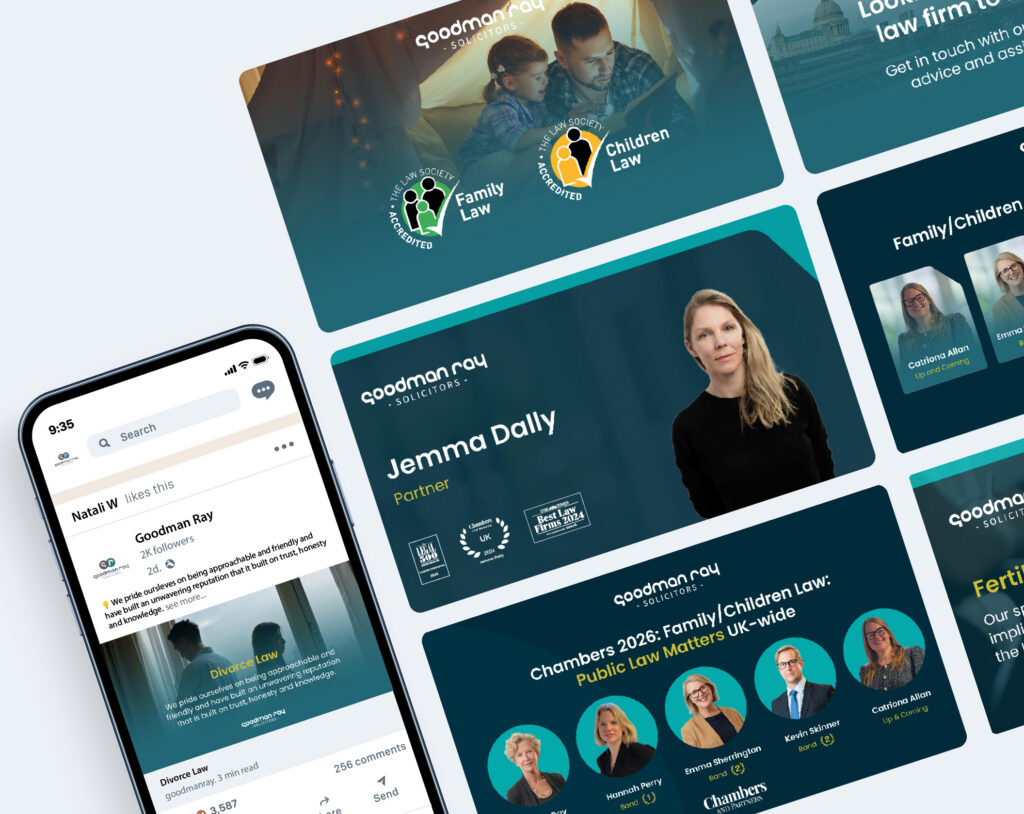
This is where your brand guidelines come in. Your social media branding should be a consistent extension of your website: identical logos, consistent creatives and a logo that is used in accordance to your rule book (guidelines).
What should you post?
With this in mind, social media isn’t a place to simply pump out corporately designed posts of your contact information or a link to your website. It’s an opportunity to create a perfect blend of personality and professionalism. We highly encourage law firms to share raw pictures of the people that make up the business. After all, you are who your client will be dealing with. So ask yourself:
Have you had a recent work event?
Roof-top drinks at your London office?
How about one of you was awarded at a recent legal event and you attended?
Do you have a staff sports day?
What about a staff BBQ?
Is it the Managing Partner’s birthday? Are you celebrating?
Do you donate to charity?
All of these situations are opportunities for you to share what the people at your firm get up to. This, coupled with consistent branding, humanises you as a firm. It places you in a relatable light, where potential clients don’t see you as intimidating legal professionals, but rather a professional who is friendly and HUMAN.
A strong social media strategy combined with a fresh website, expertly written articles, a consistent tone of voice across all platforms AND consistent branding all creates a strong online presence.
You know how good you are at what you do, but nothing will truly communicate your perceived worth with as much impact as the paying customer’s feedback. Encourage clients to leave Google reviews by linking them to your Google My Business page once you’ve closed their case. You can also add this step to the bottom of closing letters to create a less admin-heavy task in collating reviews.
Consumers rely heavily on Google reviewsto make informed purchasing decisions, and it’s a critical step in the decision-making process for our online clients. So the more good reviews you receive, the better your online reputation and the more sway you have over clients shopping around online. But what happens when you get a bad review?
Can you remove the bad reviews? Yes, but I wouldn’t, and here’s why…
Many of our clients have been approached by ‘online reputation management’ companies that claim they can remove your Google reviews, which is a rather tempting invitation when you’re biting your nails down to the cuticle over a review slandering the firm. But did you know it’s physically impossible to remove specific reviews unless they violate Google’s policies? These companies forget to inform you in their initial pitch that to remove said negative review, they purge your entire Google listing so you can start again on a blank canvas. This consequently does more damage than good to your online presence. You go from having a mix of (majority) 5 star and (some) 3 and 1 star reviews, to none at all. Your trust is gone, future clients will be sceptical as to why you have no reviews, and to omit the bad, you’re erasing all the good.
In summary, make sure you follow the below steps to effectively manage your Google Reviews, maintain trust with clients, and keep your online presence strong:
Encourage google reviews by sending the link to clients once a case is closed, or adding the link to closing letters.
Don’t ignore ANYONE. Thank your cheerleaders and then fight your corner in the politest way to anyone trying to damage your online reputation. Try and fix it. Reach out to the client. Openly leave your contact details on the review to show that you want to sort this issue.
Report any reviews that violate guidelines. If members of your staff are being personally attacked or a 1-star review is left with no additional comments, these should be easily removed under grounds of harassment or lack of information.
Treat your reviews like a thousand people are judging you. Always reply politely, but in a way that gets your point across to the reviewer and the social listener that you believe the review is either fake, or you are deeply sorry for their bad experience and wish to resolve it.
First, get your branding sorted and establish (or re-visit) your brand guidelines.
Establish your tone of voice and write this into your guidelines. Check that your TOV is consistent across your website, social media, and printed marketing collateral such as brochures and flyers.
Conduct an audit on your website and ensure it’s modern and appealing. Then cross-check your website with your brand guidelines to make sure everything is synergised.
Create a content strategy: decide which fee-earner is responsible for what blogs every fortnight (or every month if you wish to start small). Then consider instructing an SEO expert to help you capitalise off your content and more.
Audit your social media and check if it is in line with your guidelines and whether it’s genuinely a fun and exciting platform to look at. Consider instructing a social media specialist to conduct your social media plans, write captions in your TOV and schedule for you. This is a good idea if you don’t have time for social media and need guidance.
Ensure you respond to the good AND bad Google reviews. There’s nothing worse than a business that respond to the good and ignore the bad. Do it for those who could be watching HOW you respond, which in turn could impact their decision to instruct you.
If there’s one word that comes to mind when considering your online presence, it’s consistency. Establishing a strong online presence isn’t an overnight task. It requires organisation, planning and lots of patience. But if you remain consistent in your efforts across all digital platforms, you have yourself a holistic presence that increases your integrity, credibility, visibility and client trust in you.
Contact Olivia today
If you want to chat about anything in this blog or you want to discuss digital marketing for your law firm and how Accesspoint can help, then email me today. And don’t forget to check out our client case studies below!
In 2024, 82% of practitioners surveyed by the Law Society reported that Legal Aid work was loss-making. The challenge wasn’t skill or dedication; it was that the digital tools built for private-practice billing didn’t fit the complex, rule-bound world of Legal Aid. We saw an entire sector working in fragments: spreadsheets here, portals there, disconnected systems everywhere.
So we set ourselves a simple but audacious goal: make Legal Aid viable again through intelligentautomation and guided design.
Listening before building: we started with research, not code.
We interviewed lawyers, cost drafters, cashiers, rep bodies, and Legal Aid Agency contacts. We hosted workshops with partners, ops leads, and IT teams to map every breakdown trigger from client onboarding to final billing. Those sessions revealed the heart of the problem: lawyers weren’t short of data, they were short of time and tools that understood Legal Aid logic.
Our brief became clear: turn expertise into an experience, not just another administrative task.
Designing a guided journey
From that insight came the Legal Aid Manager (LAM), a standalone SaaS platform that helps firms manage budgeting, cost control, time capture, and compliance in one connected workflow. It doesn’t just record numbers; it thinks alongside the lawyer, prompting the right actions at the right time. LAM front-loads prediction — anticipating enhancements, funding limits, and fee changes — so firms recover more of what they earn and reduce WIP lock-up.
Built with empathy and precision
Behind the interface lies months of structured R&D.
AI agents that learn from paid bills to suggest future enhancements.
Middleware that bridges legacy PCMS systems and modern cloud tools.
Conditional logic trees that model how real Legal Aid cases evolve day to day. Each feature originated from collaboration: engineers working closely with lawyers, reimagining what “cost management” could mean when it’s simple, visual, and intuitive.
A community approach to innovation
Eight pilot firms representing every type of PCMS helped test each sprint. Their feedback shaped the product as much as the code did. That partnership model is now a core Accesspoint principle: every build is a shared build.
The Legal Aid Manager isn’t about replacing people. It’s about giving Legal Aid lawyers their time back. By letting the software handle the complexity, lawyers can again focus on the reason they joined the profession in the first place: helping clients find justice.
Technology built for law firms. Not adapted for them.
Since 2012, Accesspoint has worked side-by-side with law firms to design technology that fits the way legal professionals actually work. What began as a small consultancy helping firms modernise their systems has grown into a sector-leading team of developers, consultants and creatives all focused on one industry and one goal: making legal technology smarter, simpler and more human.
We have end-to-end expertise for every firm.
Our team of over 30 specialists covers the full digital spectrum, from legal consultancy and project management to software architecture, UI/UX design, and digital marketing. That breadth means we can map out a firm’s entire workflow, identify the bottlenecks, and deliver a complete solution that works from day one. Whether we’re integrating a PCMS, building custom middleware, or training staff post-go-live, we stay involved until every click makes sense.
Each solution is developed in-house using a modern cloud-native stack and evolves through continuous feedback from the firms who use it. That’s how we turn real-world challenges into working software and keep our clients ahead of change.
We’re proud to be certified ISO 27001, ISO 9001 and Cyber Essentials, assuring clients that security and quality sit at the heart of our delivery. Our partnerships span the leading names in legal tech, from NetDocuments (EMEA Partner of the Year 2024) to Actionstep, Verify365 and Ochresoft. And our annual Accesspoint Innovators Forum brings together more than 100 delegates to share ideas and shape the future of legal technology.
We turn complex problems into everyday efficiency.
At Accesspoint, we don’t build technology for technology’s sake. We build it to break barriers: between systems, between people and process, between what firms have and what they need next.
If you’ve ever written a blog post, news article, or service page and wondered why it doesn’t attract as much traffic as you hoped, you’re not alone. The problem often isn’t your writing, it’s often how niche and narrow your article might be, especially when it comes to Law Firm SEO or other specialist content. That’s where a simple idea called “Query Fan-Out” comes in.
Don’t worry, this isn’t another bit of SEO jargon. “Query Fan-Out” is just a practical way of making sure your article covers everything people might search for around a topic, not just one phrase which is a crucial skill for effective Law Firm Search Engine Optimisation. When you use this approach, you can reach a wider audience without stuffing your page full of keywords.
Now is the time to level up your law firm SEO. Let’s break it down step by step.
What does “Query Fan-Out” mean?
In plain English, “Query Fan-Out” means branching out from one main search query into several related ones.
For example, if your main idea is “how do I change a tyre?”, people might also search for:
“how long does it take to change a tyre?”
“can I change a tyre without tools?”
“how much does it cost to change a tyre?”
“how do I change tyre safely at home?”
All those searches are variations of the same theme. If your article includes short, clear sections that touch on each of them, it’s more likely to appear in search results for all of them, not just one. That’s “fan-out” in action.
Why does Query Fan-Out matter for your content?
Search engines like Google try to match pages with what people actually want to know. That’s particularly important in Law Firm SEO, where clients search for legal advice and services in many different ways. If your article only answers one narrow question, it might miss out on dozens of similar searches.
By using a fan-out approach:
You cover more ground without repeating yourself. For Law Firm Search Engine Optimisation, this approach means reaching potential clients searching different legal terms.
You make your content more useful for readers.
You increase your visibility for a variety of search terms.
It’s not about guessing what people might type into Google. It’s about thinking more broadly about how your audience might ask the same question in different ways, or what question they might ask next.
Step-by-step guide on how to apply “Query Fan-Out” to your next article
Here’s how to do it, even if you’ve never touched an SEO tool in your life.
Step 1: Start with your main topic
Write down the main idea you’re covering. For example:
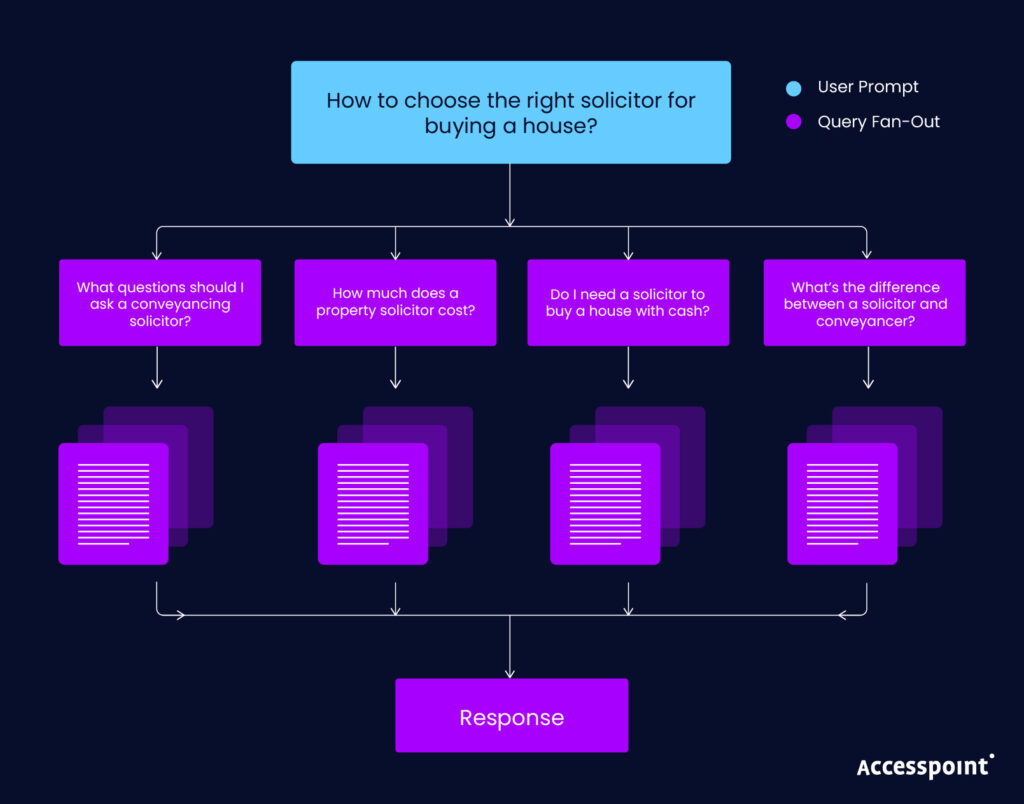
“How to choose the right solicitor for buying a house.”
That’s your core query. The starting point for your fan-out, and it’s a great starting point for Law Firm SEO content.
Step 2: Think about what else people might ask
Imagine you’re the reader. What other questions might you type into Google when researching that same topic?
You might come up with things like:
“What questions should I ask a conveyancing solicitor?”
“How much does a property solicitor cost?”
“Do I need a solicitor to buy a house with cash?”
“What’s the difference between a solicitor and conveyancer?”
Each of these is a branch of your main query.
Step 3: Use free, simple tools to find real examples
You don’t need fancy software to expand your fan-out. Here are a few easy ways to discover related queries:
Google’s “People Also Ask” boxes – Type your topic into Google and note the questions that appear in this box.
Related searches at the bottom of Google results – These are real searches people make.
Autocomplete suggestions – Start typing your phrase into Google and look at what pops up.
AnswerThePublic (free version) – Type your keyword and see a visual web of related questions.
Jot down 5–10 variations that feel most relevant to your audience. These tools are particularly helpful for planning Law Firm Search Engine Optimisation content, where phrasing can vary widely.
Step 4: Group your ideas into sections
Don’t try to cram every query into one long block of text. Instead, use headings to group related questions.
For example, your article could look like this:
How do I Choose the Right Solicitor for Buying a House?
What Questions Should I Ask Before Hiring a Solicitor?
How Much Does a Property Solicitor Cost?
Do I Need a Solicitor for a Cash Purchase?
Conveyancer vs. Solicitor – What’s the Difference?
This approach makes your writing easier to read and it helps search engines understand what your page is about and it boosts your Law Firm SEO by helping search engines clearly understand each topic’s intent.
Step 5: Answer each question briefly and clearly
Each section doesn’t have to be long. A few clear sentences or a short paragraph per question is enough. The key is to answer the query directly, using plain language.
For instance, for the question “Conveyancer vs. Solicitor – What’s the Difference?” the succinct answer might be:
“A conveyancer handles property transactions, while a solicitor can offer a wider range of legal services. For straightforward purchases, a conveyancer is usually fine, but if your sale involves complex legal issues, a solicitor may be better.”
That’s one neat paragraph that answers a specific search query. Job done.
Step 6: Add natural variations of your main keyword
When writing, it’s fine to use natural variations of your key phrase like “property lawyer,”“conveyancing solicitor,” or “legal advice for homebuyers.”
This isn’t keyword stuffing. It’s just using the same idea in different ways, so your content matches how people really search. This principle is the same in Law Firm SEO, where using natural variations like ‘family lawyer’, ‘divorce solicitor’, or ‘legal advice for clients’ improves reach.
Step 7: Review your “fan-out” coverage
Before publishing, skim through your article and ask yourself:
Have I covered a range of related questions?
Does each section clearly answer something a reader might search for in Google?
Have I avoided repeating myself or overusing one phrase?
If the answer is yes, you’ve successfully created a piece of content that fans out naturally and all without needing to be an SEO expert.
Pillar and Cluster content for SEO: What it is and why it matters
Whether you’re a legal professional, small business owner, or marketing manager, understanding and implementing this model can have a transformative impact on your organic traffic. Find out how to build E-E-A-T through Pillar and Cluster content by reading Rich‘s recent blog.
You don’t need to be an SEO professional to benefit from Query Fan-Out. All it takes is curiosity about your audience’s questions.
Remember:
Start with one main topic.
Brainstorm related questions.
Use Google suggestions for inspiration.
Organise your content into helpful sections.
Write simple, clear answers.
By following these steps, you’ll naturally create articles that rank for more searches, attract more readers, and feel more useful and all without diving into SEO jargon.
In short: Query Fan-Out is just smart, thoughtful writing that recognises your readers have more than one question. The broader (yet focused) your answers, the wider your reach.
When it makes sense to bring in an SEO specialist
If you’re writing legal content, this is where professional support in Law Firm Search Engine Optimisation can make a measurable difference. While Query Fan-Out is something you can do yourself, there are real benefits to recruiting an SEO professional, especially if you want to take your content to the next level.
Here’s what an SEO specialist can add:
Data-driven insights: They can identify exactly which queries have the most search volume and which ones your competitors rank for, saving you the guesswork.
Content strategy planning: An SEO professional can help you map out a content plan that ensures each page complements the others, improving your site’s overall authority.
Technical optimisation: Beyond writing, SEO includes technical tasks like improving page speed, using structured data, and optimising meta tags. These are things that directly affect rankings but aren’t obvious to most writers.
Monitoring and adaptation: SEO isn’t a one-time job. Specialists track performance, tweak content, and ensure your articles continue to reach new readers over time.
Maximising ROI: By combining your expertise with their SEO knowledge, you get articles that are both useful to readers and highly discoverable online.
In short, learning basic strategies like Query Fan-Out can help you write better content today, but pairing your efforts with an SEO expert ensures your work reaches its full potential. When applied consistently, Law Firm SEO strategies like Query Fan-Out can transform visibility and client engagement online.
Contact Rich today – Our Law Firm SEO Expert
If you want to chat about anything in this blog or you want to discuss your law firm SEO and how Accesspoint can help, then email me today. And don’t forget to check out our client case studies below!
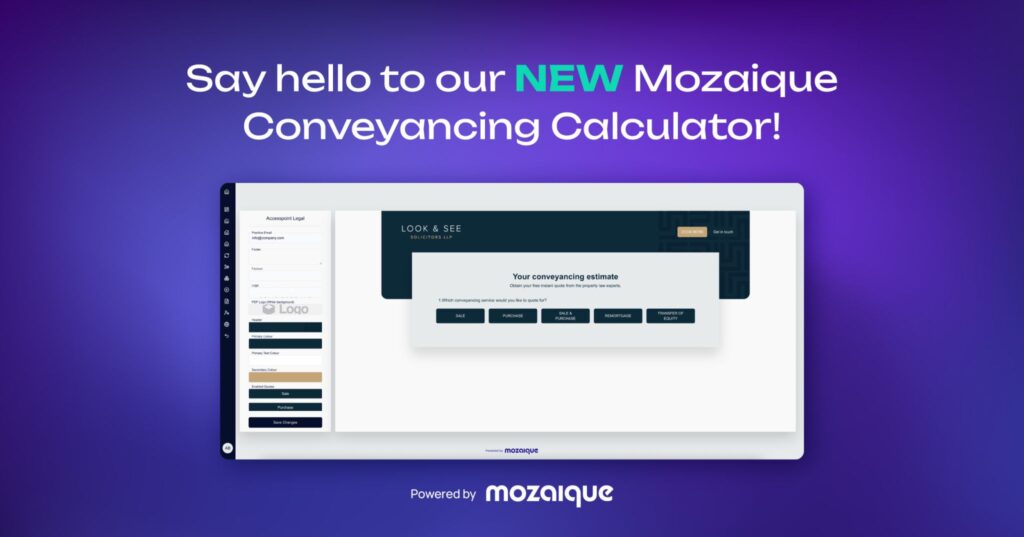
We’ve given our Conveyancing Calculator a major upgrade
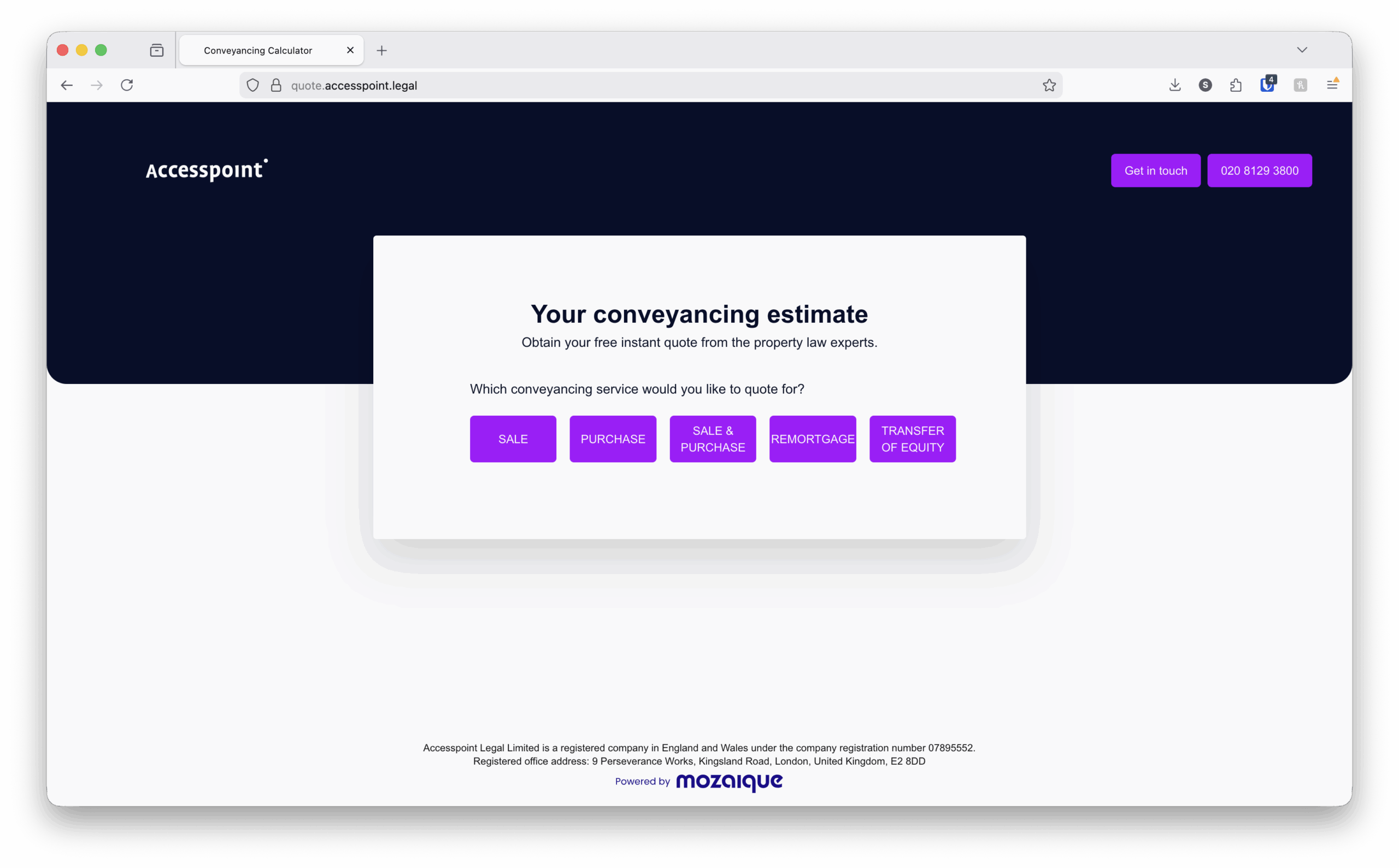
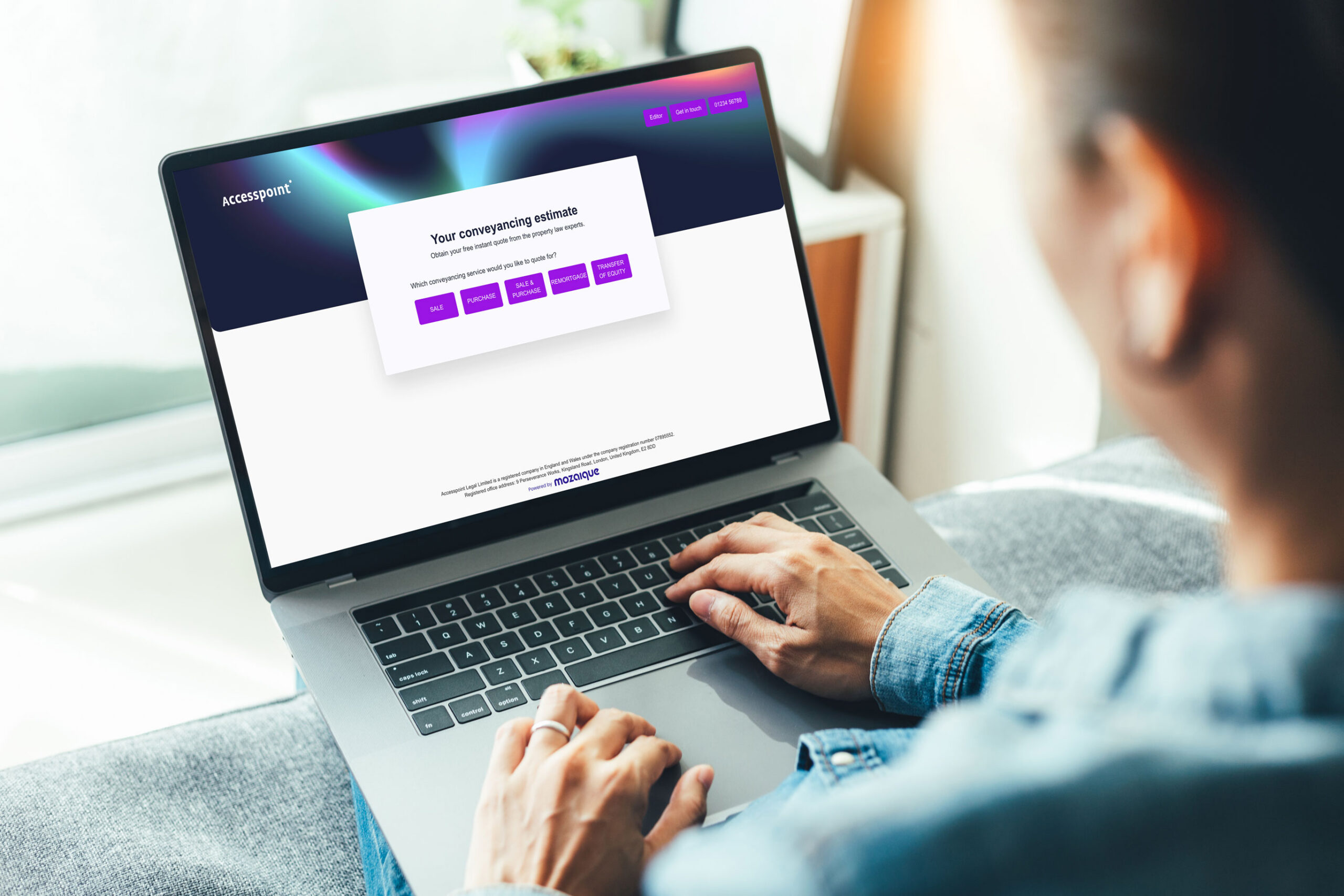
Let’s face it: manual quoting is a pain. Spreadsheets, double data entry, missed follow-ups… not exactly the dream. That’s why we’ve built a tool that cuts through all that noise. No more manual inputting, no duplication, just quick, accurate, fully tracked quotes in seconds.
With our enhanced Conveyancing Calculator, you can:
✅ Generate instant, branded, compliant quotes straight from your website ✅ Manage everything right from your PCMS — no juggling between systems ✅ Track every enquiry, set reminders, and follow up with ease ✅ Get insights into what’s working with real conversion and pricing data
And because your clients expect clear, transparent pricing at their fingertips, the calculator delivers that too on any device, any time.
But that’s not all. We’ve added a brand-new Admin Dashboard that gives you total control. Now you can:
✅ Update fees or apply global price changes in seconds ✅ Customise PDF quotes, attach documents, and tweak your branding ✅ Edit existing quotes whenever you need to — no external support required
It’s fast, flexible, and fully built around how you work.
We’ve designed this update with law firms in mind; making it easier than ever to respond quickly, build trust, and convert more enquiries into instructions.
💡 Explore all the new features here
Feature
Description
Instant, Self-Served Quotes
Users visiting your website can get a personalised conveyancing quote quickly and automatically, without waiting for someone to manually calculate it.
Customisable Quote Calculators/Fee Scales
Firms can set up different fee scales for more precise, fair quotes that reflect the firm’s internal cost structure.
Customisable Design
Customisable design for you to upload your firms logo, colours, privacy policy & legal information (Company Reg/SRA ID etc.)
Customisable Price Adjustments
Firms can easily adjust conveyancing fees, additional fees and third party fees either individually, or globally.
Multiple Branches
The tool accommodates firms with multiple branches directly within the tool. These are easy to maintain and edit via the Admin interface.
Connected to your Website
The calculator attaches to your website as a subdomain, so that leads are captured directly.
Customisable PDF Quote
The generated PDF quote is self-customisable to your firms branding. You can also prepend/append additional PDF documents to the quote, such as introductory letters & policies.
PCMS Holding Bay Technology
Completed quotes are stored in our holding bay that lives in your firms PCMS. It provides a safe zone to store completed quotes, allowing you to duplicate check/edit/view and process the quotes into Clients & Matters.
Easy to Deploy
The Calculator tools is extremely easy to use, maintain and rollout firm-wide with minimal effort. You can immediately start benefitting from streamlined quotes.
Compliant with Regulation (SRA, Price Transparency)
The system supports the legal obligations around price transparency, showing fees and required information in a compliant manner.
Pipeline & Lead Management
Once a quote is made, the tool can track leads, allow monitoring of active vs lost quotes, where they came from and conversion rates. This gives firms insight into their quoting efficiency.
Client Emails
Integrated Emails with clients, for them to receive the quotation via email.
Conversion Tools
It includes features to help move a quote to an instruction, e.g. follow-ups, reminders, integrations (so that once a quote is accepted, the case/matter creation can be smoother).
Integration with Practice Management Systems
Deep integration with on-premise and cloud PCMS systems.
Deborah Kirk Jones moves from Account Management to Head of Customer Success
Share
Overview
A Proven Track Record in Legal Tech Relationship Management
Deborah joined the Accesspoint team in May 2021 as an Account Manager, where she quickly distinguished herself by proactively managing client needs and guiding organisations to make the most of their practice and case management systems.
With 25 years of experience in legal technology, Deborah is passionate about ensuring that clients have the best experience. As she herself puts it, “what I enjoy most in my work is providing outstanding customer service, and building long-standing relationships.”
Elevating the Client Experience
In her new role as Head of Customer Success, Deborah will continue to nurture existing client relationships, while deepening client engagement and satisfaction across the board. She will act as a central advocate for clients within Accesspoint, listening to feedback, resolving concerns, and working cross-functionally to ensure clients get the most from their investments in legal technology.
Her responsibilities will include:
Overseeing client onboarding, support, and ongoing relationship development
Acting as the liaison between clients and internal teams (development, training, product, etc.)
Proactively identifying opportunities to enhance client value
Ensuring that clients feel heard, supported, and empowered to succeed
Deborah’s move into Customer Success signals Accesspoint’s commitment to strengthening client outcomes, not just as customers, but as partners in innovation and growth.
A Personal Touch
Outside of her professional endeavours, Deborah resides in Hampshire with her husband and their dog (who occasionally appears in Teams meetings). She enjoys life surrounded by woodland and coastline, and is passionate about music, dogs, and community engagement — including singing in a local choir.
Deborah’s approach, blending technical understanding with empathy and relationship focus, makes her a natural fit for the Customer Success role. “My goal,” she says, “is to make sure our clients are happy, and satisfied that they have what they need to get on with their jobs.”
Please join us in congratulating Deborah in her new role. If you’d like to contact her, she looks forward to connecting and supporting clients to drive sustained success.
Another year, another Accesspoint Innovators Forum!
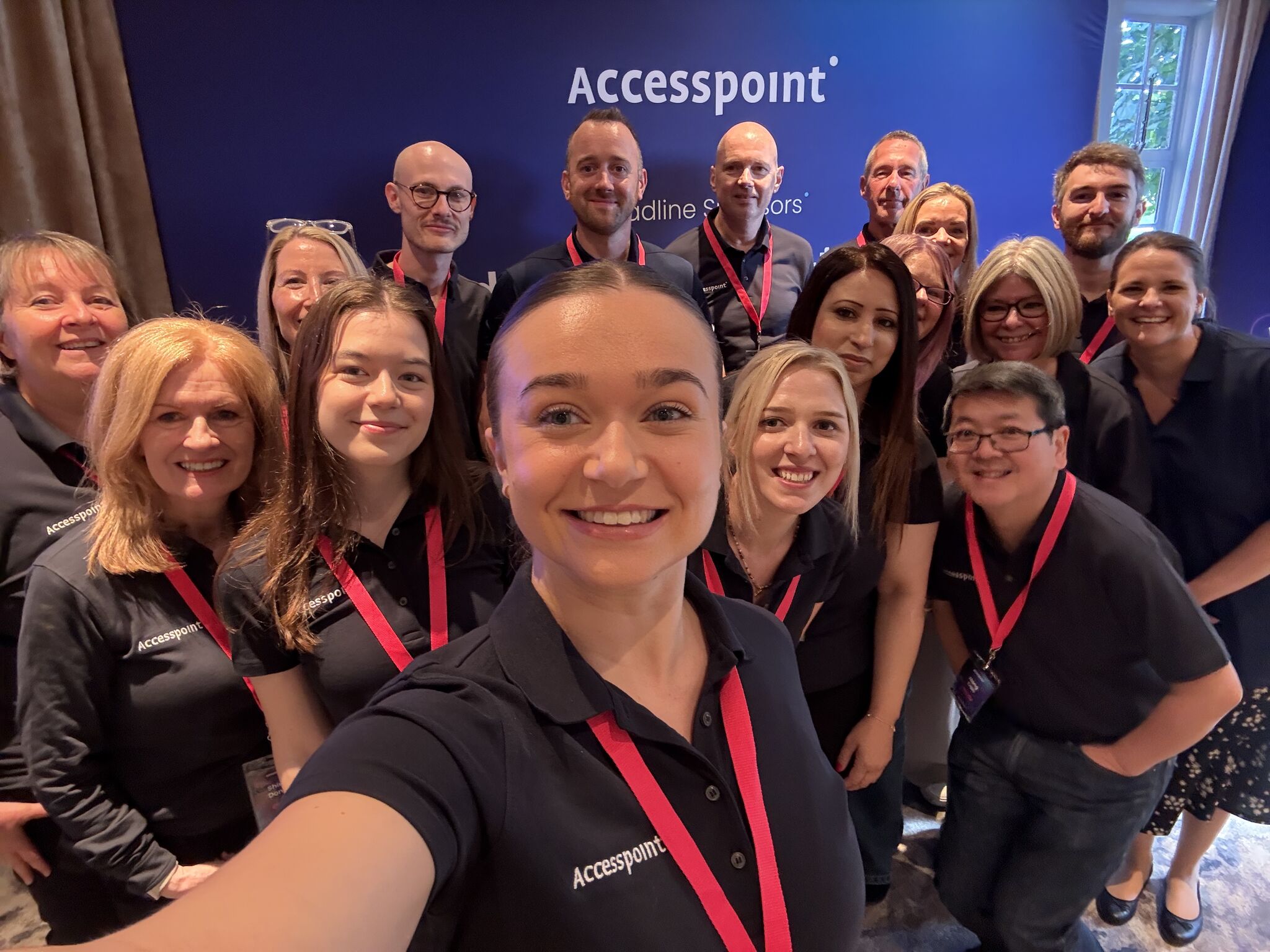
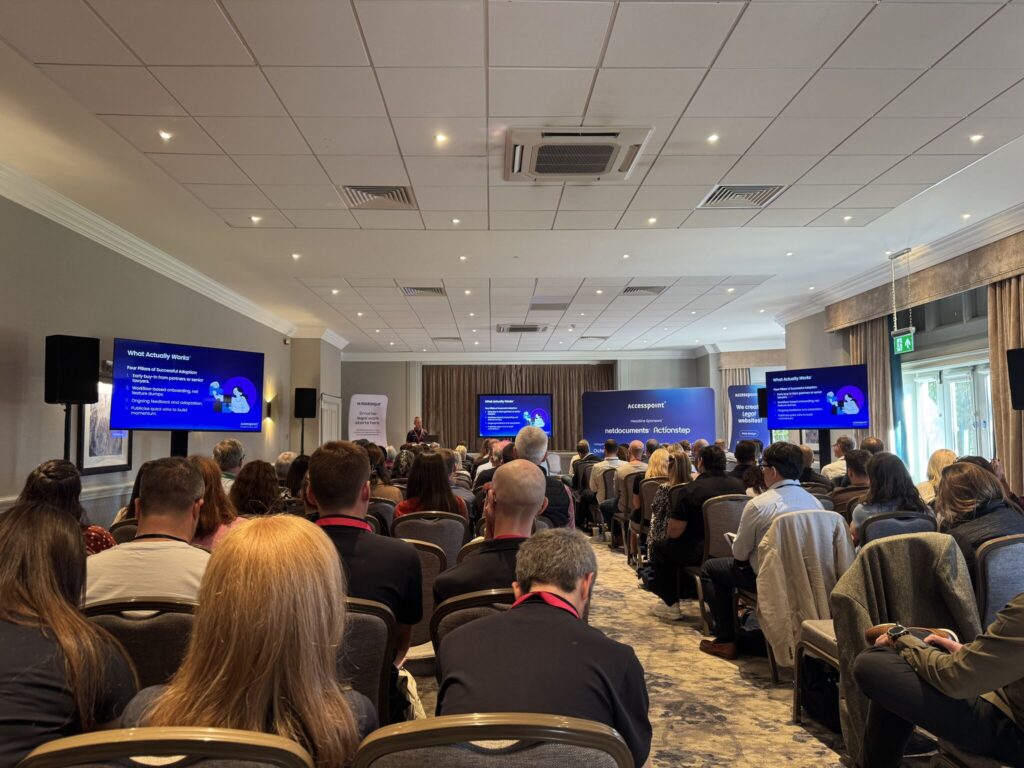
The feedback we’ve seen from our 2025 event has left us feeling warm and fuzzy inside. Our hard work has paid off, the last 9 months of organising and planning have been worth it, and so now it’s time to look back at our fourth Innovators Forum (and its highlights).
Scott Brown, Managing Director at Accesspoint
4 years ago we had a wild idea to start our own event, you asked to see more of what we were developing and mentioned how good it would be to have a mutual forum for like-minded firms to get together, collaborate on ideas, share challenges and solutions. We started out with 40 delegates and it’s grown each year, and here we are now, with over 100 delegates. It just shows the power and value of getting together, so thank you all for attending and being part of this journey.”
Our themes this year:
Once again we hosted our event at the beautiful Hanbury Manor Hotel in Ware. This year, we focused on the following themes:
Designing Software That Inspires Joy and Drives Results
Creating Tools That Boost Productivity and User Satisfaction
Empowering People Through Seamless, Productive Experiences
Where Happy Users Meet High-Performance Software
And what did the agenda look like?
Rupert Collins-White opened our event with three simple words: People, Products, Purpose; providing key insights into the core challenges of SME law firms from Burlington’s 2025 Frontiers report. If you’ve ever felt that technology gets treated like a bolt-on instead of part of your firm’s DNA, his point was clear: purpose is what makes the difference.
Scott reminded everyone just how far this Forum has come — from 40 people four years ago to more than 100 delegates this year. That growth shows there’s a real appetite for sharing ideas and building solutions together.
Scott and Hong also looked back at what’s been achieved since last year: including new staff, certifications, milestones, and the next stage of Mozaique’s development. A foundation that made the rest of the day’s conversations possible.
Hong then showed Mozaique live, with integrations across Verify365, FormEvo and NetDocuments, plus the upgraded Mozaique Conveyancing Calculator: A dashboard firms can shape to their brand, with control that’s visible every day.
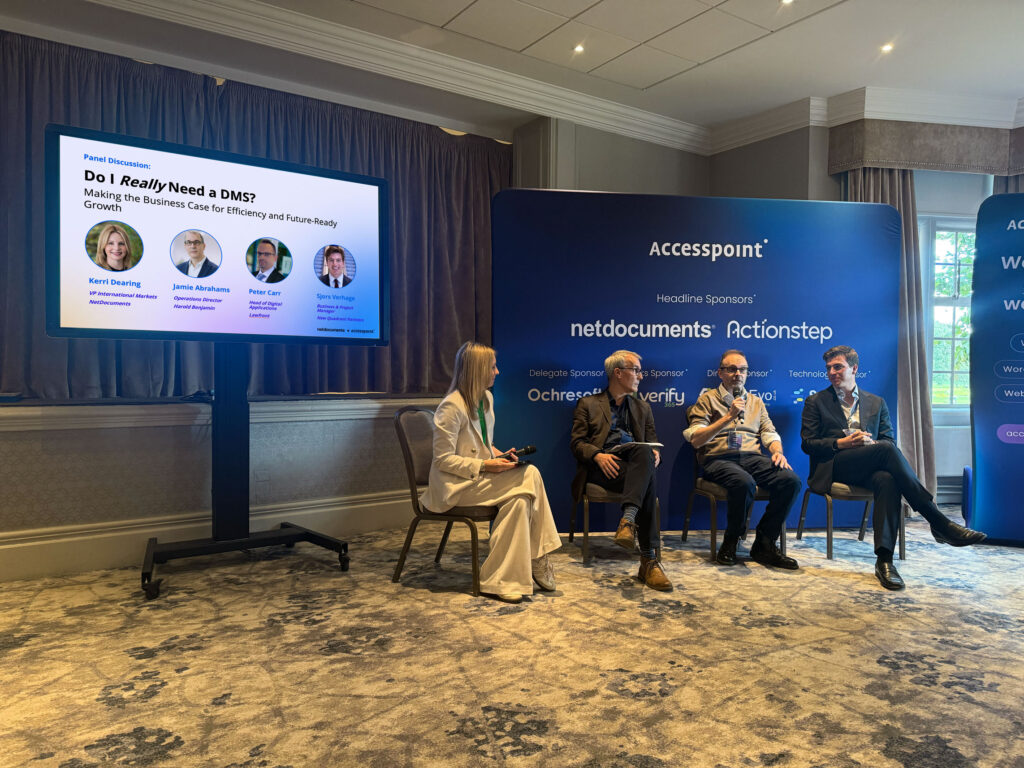
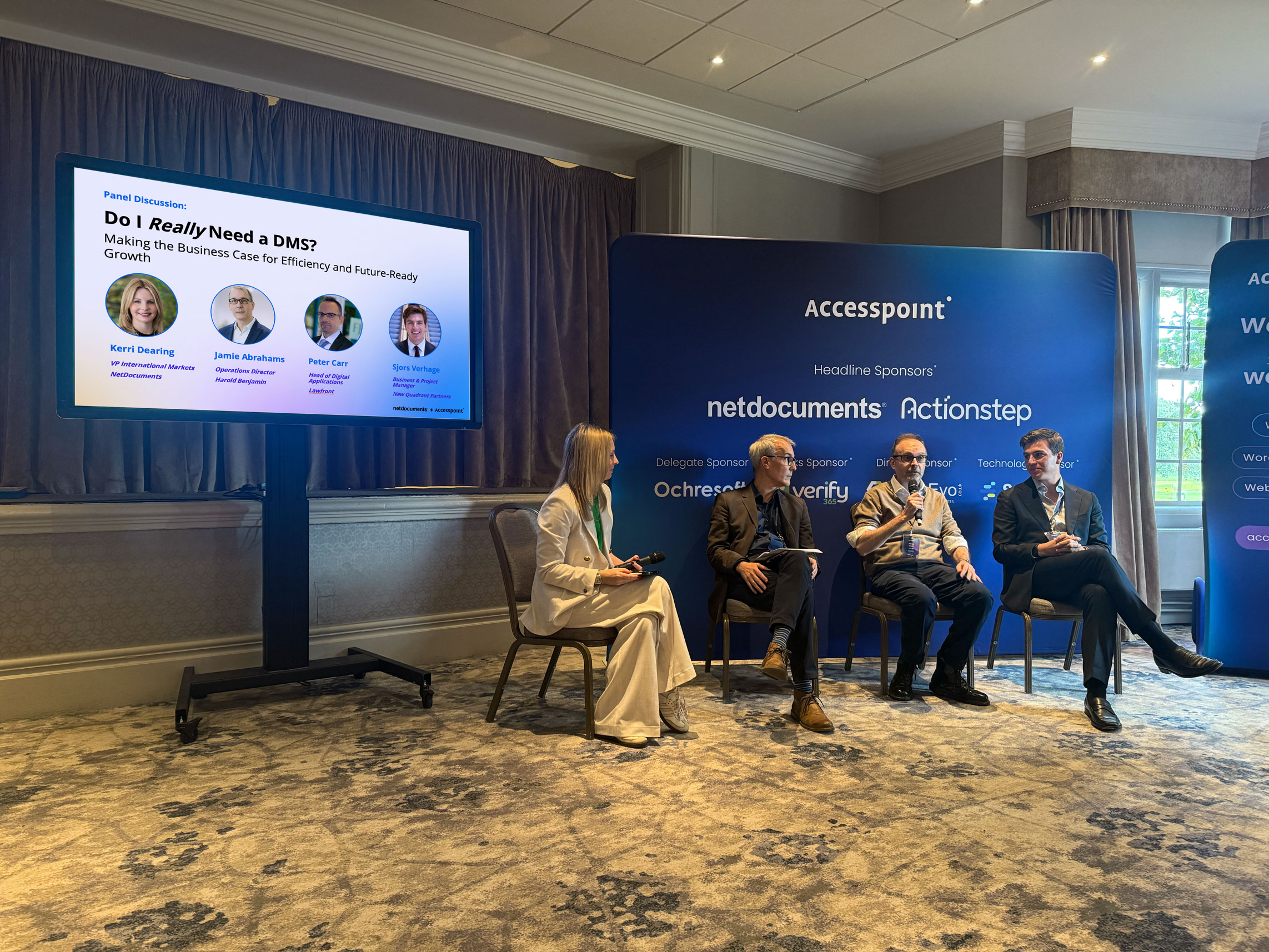
Do I really need a DMS? Kerri Dearing at NetDocuments delved into this question by bringing to the stage Jamie Abrahams at Harold Benjamin, Peter Carr at Lawfront and Sjors Verhage at New Quadrant Partners. Our panellists discussed their reasons for adopting NetDocuments within their firm and provided valuable advice and insights to other firms in the crowd that are considering the question: do I really need a DMS? Read the discussion here.
Why your lawyers STILL hate the new system 🤔 It’s not the tech, it’s the people: Higgsy took centre stage in this discussion that detailed the best practice advice on managing implementations. This followed on nicely from Higgsy’s presentation last year where he delved into how to choose your next PCMS. There’s a full e-booklet on this here.
It was a delight to welcome back Oliver Tromp at Actionstep for our fourth Forum. Oliver delved into why interconnected systems are driving the next phase of the business of law.
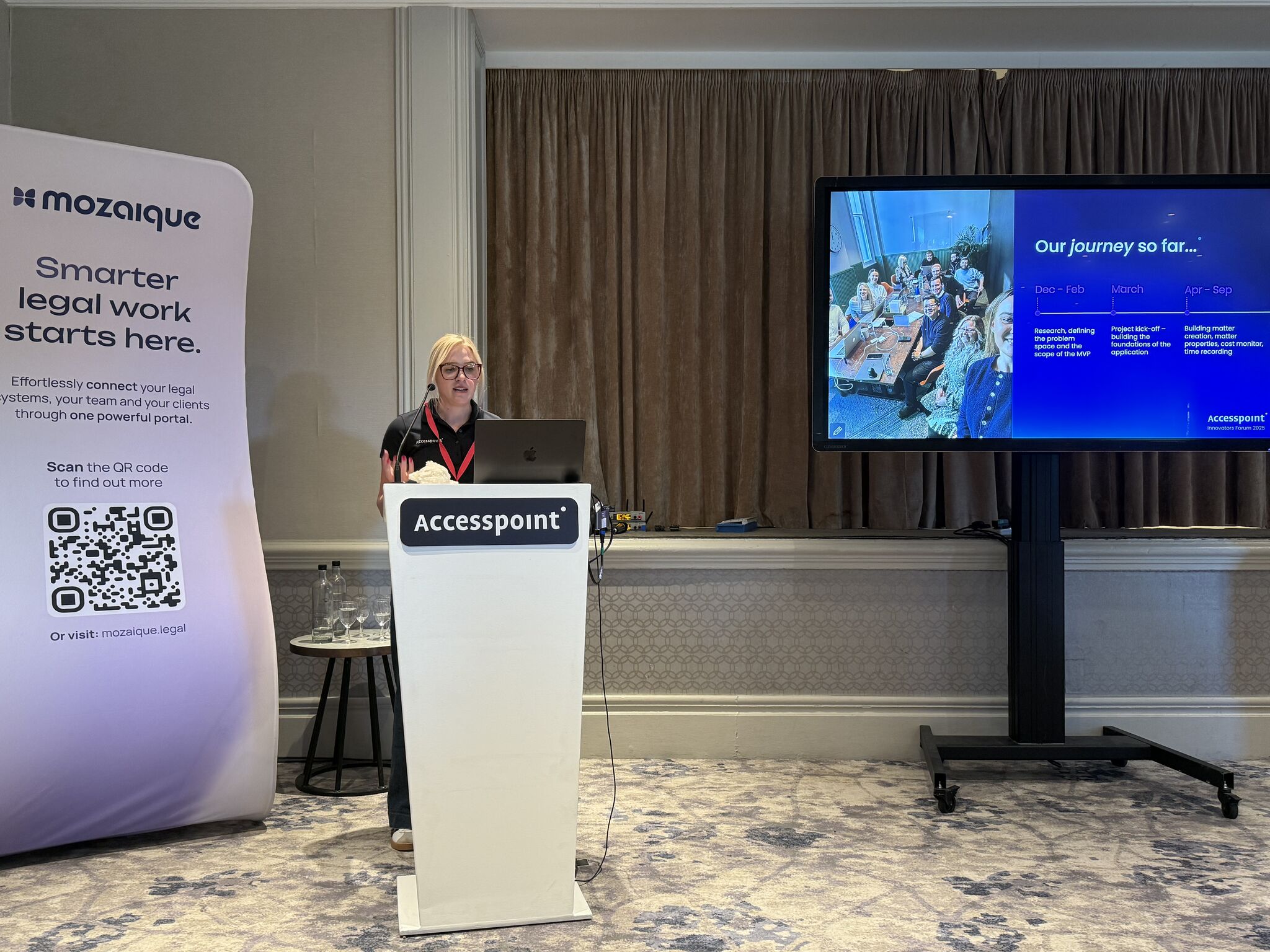
Jane, Hayley and Anita presented our first ever LIVE demo of LAM (Legal Aid Manager), our journey so far and the reasons why we’ve developed such an intuitive system for legal aid firms across the UK. We’re so excited about LAM. Our journey is far from over but it was an absolute pleasure to demo this software for our event. We hope everyone is as excited about this as we are.
Every year we present you with a jam-packed agenda, full of demos, fire-side chats and presentations from the likes of NetDocuments, Actionstep, Ochresoft, FormEvo, Synextra, Verify 365, who all operate in the legal tech space and understand the difficulties law firms face. This year was no different.
Do I really need a Document Management Solution?
Do we really need a Document Management System (DMS)? To delve into this, NetDocuments hosted a panel at this year’s Innovators Forum, alongside Accesspoint’s clients: Harold Benjamin, Lawfront and New Quadrant Partners.
This year’s gathering was more than just another event—it was proof that real, practical change is already happening. From conversations about moving to a cloud-based PMS to firms finally embracing the benefits of a DMS, one thing is clear: change is no longer on the horizon, it’s here. And while many of us instinctively resist it, it’s becoming impossible to ignore.
Firms left feeling valued and understood
Can I take this opportunity on behalf of Kate and myself to thank you and all your colleagues for your hospitality last week at Hanbury Manor. It was organised to perfection, and I can only imagine the time and hard work it must have taken to arrange every single detail so well. I personally found it very useful, not just the presentations but also being able to talk to some of the other attendees and discuss how they have been handling the issue of dealing with their PCMS, be it moving on to another CMS or finding ways of making their PCMS work better for them.
I hope that you managed to find time to have a rest this weekend – you certainly deserved it!
Kathryn Shaw, Director at GBH Law
What stood out most this year was the powerful message: you’re not alone. So many firms are asking the same question: “How do we free our fee earners from admin and give them more time to earn?” At the Forum, that sense of isolation disappeared. Firms discovered a community of peers—some already thriving with a cloud-based PCMS, others still on the same legacy system for 30 years. Some had embraced NetDocuments, while others hadn’t touched a DMS. Some were using our Mozaique Conveyancing Calculator to deliver instant quotes, while others were still handwriting them. Some had long adopted our Client Portal, while others were still relying on the post.
That mix created something powerful: authentic conversations, honest insights, and a shared vision of where legal tech is heading. The Forum wasn’t just networking—it was a chance to see the future through the experiences of those already living it.
This way, delegates managed to have valuable, honest conversations with their peers from other firms that are ahead of them in their journey, and really evaluate the benefits of adopting the products demonstrated at our event by hearing first-hand the practical experiences of other practices.
The future for Accesspoint
With such a broad range of skills in our team, it’s easy to lose sight of what lies at the heart of Accesspoint. So, what is our core focus—and how can we help your firm?
At our core, Accesspoint is the bridge between your firm and legal technology. We support firms throughout their entire operational journey, whether you’re working with best-of-breed tools or all-in-one solutions. Think of us as the glue that connects your people, processes, and technology—turning complexity into clarity.
Our core business is built around 5 pillars
PCMS Development & Consultancy
For firms using legacy systems choosing to remain with their platform and looking to maximise the lifespan of the product, we provide and will continue to provide development and support services. We provide annual health checks for your system to advise on best-practices and ensure you are fully utilising your software functionality. We build workflows and reports, we develop time-saving integrations with our partners such as FormEvo, Verify365 and Intelliworks, and we provide bespoke development services to build applications around these systems, to ensure you get the most out of the system.
Actionstep Implementations: On the flip side we support and provide full implementation services for firms looking to migrate away from on-premise solutions and adopt a Cloud Based SaaS platform like ActionStep. We provide full consultancy, data migration, setup, training, integrations and development for an entire Actionstep implementation journey.
NetDocuments Implementations: NetDocuments is a big feature for us, they have an unrivalled DMS and are charting the way forward for firms looking to adopt a cloud based DMS and AI in a controlled manner. We provide full end-to-end implementation of the NetDocuments system and we are the current NetDocuments EMEA partner of the year.
Something that we have been busy with is our very own Mozaique software solution. We unveiled our new branding at the event to mark our commitment to taking the platform to new levels.
Mozaique is gaining huge popularity with law firms. It was born with the idea of building a web-application layer on top of your PCMS. So we can use your PCMS data as the single source of truth, but take the data and extend it outwards to create a series of intelligent modules that improve your firms efficiencies and client interaction. We’re so pleased to say it has been a great success in the sector.
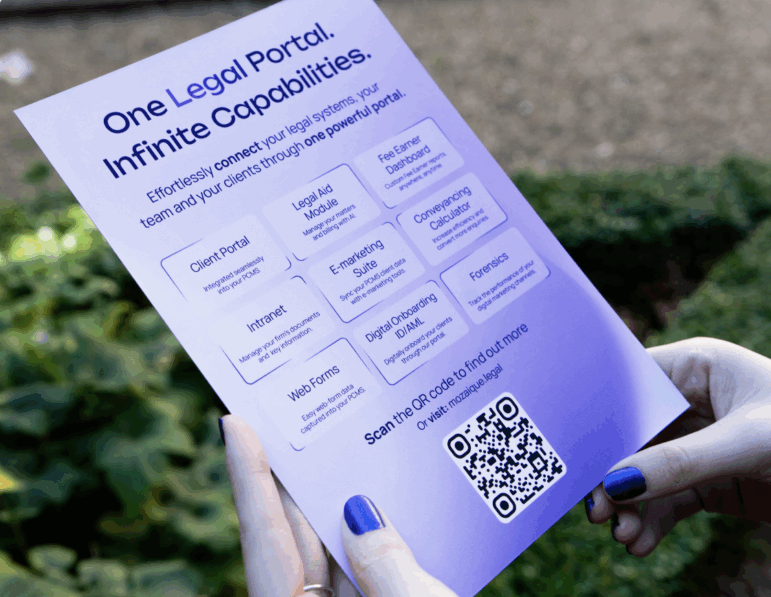
Over the past year we have invested heavily into the platform and it’s been adopted by many attendees at the Forum. At the core of Mozaique is our client portal, enabling firms to automatically keep their clients up-to-date throughout the case. We have our Fee-Earner Dashboard software enabling fee-earners to access case information, reports and management information whilst out and about. E-Marketing Suite seamlessly synchronises your client contact data with e-marketing tools like Mailchimp or Campaign Monitor. The Mozaique intranet stores core company documents and information and our digital web-forms digitise client onboarding and ingest the data into your firm’s PCMS. We’ve also been busy developing a whole new suite of tools that we launched at the event and continue to work on post-event. This includes a whole new Legal Aid solution, Conveyancing Calculator tools and enhanced features to our Client Portal.
The popularity of the platform comes from providing extremely useful tools but in a simple, easy to use, joined up approach and most importantly the ability to be rolled out firm-wide in a pain-free manner.
Thank you to our sponsors and attendees
We just want to say a huge thank you to our attendees and especially our sponsors: NetDocuments, Actionstep, Ochresoft, FormEvo, Synextra and Verify 365. Thank you for reminding us that innovation happens when the right systems connect.
Do I really need a DMS? A panel discussion with NetDocuments and Accesspoint’s clients.
At our 2025 Innovators Forum, Kerri Dearing, VP of International Markets at NetDocuments lead an engaging discussion with law firm leaders who have confidently answered that question. Together, they explore the tangible business value of adopting a modern DMS. From leveraging cloud-first flexibility and enabling seamless PMS integration, to improving efficiency, compliance, and collaboration, this session at our Innovators Event unpacked how a DMS helps firms stay competitive and future-ready.
Expect honest insights, practical takeaways, and real-world lessons to help you assess whether your firm can afford not to have a DMS.
Hear the answers from our panellists on the day
In the below transcription, we address some of the key take aways from the panel. Our panellists discuss their reasons for adopting NetDocuments within their firm and provide valuable advice and insights to other firms that are considering the question: do I really need a DMS?
How did you go about getting buy in from the stakeholders and bringing them along on the journey at your firm?
Sjors Verhage New Quadrant Partners
Read Sjors’s answer below…
“I think first of all it was trying to convince our colleagues that we do need such a system and why we need this system. So that’s step number one. And of course, there’s also a financial case to present to the leadership team and collecting those arguments together. But also showing your colleagues what you would give back to them. It’s not okay to just throw technology at them and say ‘you use this from this day going forward’. That’s not a solution. So I think it’s both making a business case to your colleagues and the leadership team.”
Jamie Abrahams Harold Benjamin
Read Jamie’s answer below…
Integrations were really important for Jamie at Harold Benjamin when considering a successful roll out of NetDocuments, as well as working with the right partner. So Kerri invited Jamie to tell the audience about how they went about this at their firm:
“Integrations were really important to us because we had quite a lot of data that we wanted to migrate, and we felt that we couldn’t do DMS and PCMS in one go because it would’ve been too disruptive. You hear the expression ‘business as usual’ a lot; this means not interrupting lawyers at all and not wasting any of their time. Anything that falls short of that would been problematic, so we had to keep everything running all the time and there was never going to be a good time to do it.
Our instance of NetDocuments is linked to our current PCMS as a bi-directional integration. It does a lot of the stuff that otherwise you’d have to train people to do. We open a file in DMS, it opens the right content according to case types and other criteria. It can push through our existing PCMS’s scripting such as agendas, documents and things like that, and create them in NetDocs which is useful. It saves hours of work and training by automating those processes.
It is not widely known that we did a pilot project with an Integration partner, and it didn’t work out, so we did have two attempts at this. I’d love to say I had this all planned out and that it was perfect but on the first go it wasn’t successful. When we re-started the project, we realised almost everything that was in the initial training we could pretty much code out with a good bi-directional integration. That’s why it really worked for us. You try and get it perfect but things do come up when you go live. It’s important to work with the right implementation partner who were able to react quickly to these needs and minimise disruption.”
What impact have you seen since adopting NetDocuments?
Sjors Verhage New Quadrant Partners
Read Sjors’s answer below…
“Time saving. I think everyone here in this room wants to focus on ‘How can I make my lawyers and fee earners spend as much time as possible making money and less time looking for documents?’ Because that’s not chargeable time.
When we went live with NetDocuments we integrated it with Clio which is also a cloud-based PMS. The integration was very important to us. Luckily for us when we generate a document in Clio, put all client data on that form (which is what it can do for us), it mirrors straight into NetDocs into the matter. So giving fee earners the ease to not move documents around and also to be able to look for documents in seconds rather than a few minutes is a huge time saver.”
Peter Carr Lawfront
Read Peter’s answer below…
“Lawfront’s IT landscape is inherently complex, shaped by an ambitious M&A growth strategy. Our DMS deployment sits within a broader PMS and CMS modernisation programme, designed to deliver a single, integrated platform for over 1,200+ colleagues. One of the quickest wins with NetDocuments has been rolling it out to central functions like Professional Standards and People and Culture. These teams benefit immediately from a shared, centralised resource, enabling standardisation and peer review across the group. Beyond compliance, it’s proving to be a powerful collaboration tool.”
So to answer… do I really need a DMS?
Peter Carr Lawfront
Read Peter’s answer below…
“You don’t need a DMS if you can answer ‘Yes!’ to all of the below. So have a think about what you really want out of your documents:
Do you trust people to file documents correctly?
Do you trust that staff can find content quickly when they need them?
Do you trust that they’ll pass on that knowledge when they retire?
Do you trust your documents are stored securely, available 24/7, with a full audit trail?
If you don’t, then you need a DMS.”
Sjors Verhage New Quadrant Partners
Read Sjors’s answer below…
“I would agree. Don’t cheap out on it. It can cost you more money than it costs per year. Really see the added value of Document Management Systems. I think giving your fee earners the ability to find documents in an easy way is really powerful, even if you might trust someone to store them in the right way. So I’ll emphasise again, don’t cheap out.”
Jamie Abrahams Harold Benjamin
Read Jamie’s answer below…
“I think the last few years have been a really difficult place for IT Directors because you’ve got an infrastructure which is not built around cloud technology and probably works OK and you have to try and explain that to the owners of the business who are probably going to say ‘Why can’t we just stay the same?’. Around 50% of our reasoning behind DMS was to future-proof the infrastructure and move it to native cloud applications. Once this is done, it then makes it much easier to connect to other software solutions and provides more opportunities to the business and supports our expansion.”
To conclude…
Consider everything our panellists have mentioned in the above. Really think about your firm’s efficiencies, time savings and potential future infrastructure changes. With a DMS in place, lawyers and staff can focus less on chasing down files and more on serving clients, which ultimately makes your firm run smoother and smarter.
We hope this article has proved helpful in helping you assess whether your firm can afford not to have a DMS.
You might be interested in…
Do I really need a Document Management Solution?
Higgsy explores the value of integrating a Cloud-Native DMS with your PMS.
We’ll be at the NetDocuments Inspire Event on Tuesday 4th November 2025 as their Diamond Sponsor. We hope to see you there and discuss how NetDocuments could benefit your firm in the same way it has for Harold Benjamin, Lawfront and New Quadrant Partners.
Last year, the Accesspoint Legal team were thrilled to win the NetDocuments EMEA Partner of the Year Award. We can’t believe how quickly this event has come around once more and look forward to catching up with everyone in London for discussions on the future of legal tech!
Testimonials
Don't just take our word for it...
Working with Nesar has been a positive experience for our website. His technical expertise, proactive approach and attention to detail ensure that our site runs smoothly at all times. He is always quick to resolve issues, implement improvements, and offer practical solutions that enhance user experience. Nesar is a pleasure to work with, and I am impressed with his communication and client service skills.
Hayley Leslie, TV Edwards
Working with Accesspoint’s website team was reassuring and easy. They kept us updated with everything that was going on from start to finish. We’re very happy with the new website. It’s clean, refreshing, and provides a great user experience with its fast speed and easy navigation.
William Rowley, HSR Law Solicitors
We’ve been really impressed with Accesspoint and Rich’s SEO support. Rich is extremely proactive in suggesting and carrying out work that genuinely helps improve our rankings, and he’s always there whenever we need advice or support. We’ve already seen great results from the work they’ve done, and it’s reassuring to know our SEO is in such capable hands. Highly recommended.
Molly Thornton, Thornton Jones Solicitors
I’ve really enjoyed working with Rich and have seen first-hand the positive impact he has had on our website. His in-depth knowledge of SEO is inspiring, and I’ve learned so much from him through our email exchanges alone! Anyone who works with Rich will gain valuable knowledge that they can then carry forward. Thank you Rich for all your hard work and support.
Paaris Kazmi, GT Stewart Solicitors
Working with Accesspoint has been an absolute pleasure. Their passion for what they do and supporting their clients is clear in every interaction. Scott, Olivia, Rich, and others are consistently approachable, and willing to go the extra mile. Our project with them was complex and highly bespoke, yet they rose to the challenge effortlessly. Thanks to them, our website and brand has seen a significant increase in visibility, engagement, and traction.
Brett Shaw, Chronicle Law
Rich has been absolutely fantastic in helping us improve our SEO efforts. He has always been proactive in optimising our pages and ensuring they perform the way we need them to. He has been great at offering valuable guidance on how to strengthen our rankings and his monthly reports have been elaborate and really useful. I’ve very rarely had to reach out to Rich. He has always actively suggested improvements and identified opportunities to ensure we stay on track.
Paaris Kazmi, GT Stewart Solicitors
The warmth and generosity of the Accesspoint team is amazing – you are a lovely bunch of people and a real pleasure to work with.
Rebecca Faulkner, Enoch Evans
Our website looks really fantastic! Well done to all of you!
We are so happy with all the social media on Goodman Ray! It’s so exciting every time I see something on there. Olivia and Emma are doing a great job and make everything so easy!
Louise Payne, Practice Manager at Goodman Ray Solicitors
I love working with Accesspoint because they are always available to help with any query big or small and have the expertise to ensure the issue is sorted.
Clifton Ingram Solicitors
What we love most about Accesspoint are the people.
Tracey Thorpe, Hunt & Coombs
Accesspoint have been so incredibly supportive in achieving desired objectives – including creation of platforms, website design and lead generation. Big thanks in particular to Olivia Fishwick and Scott Brown who continue to help make a difference for the business.
Thushara Polpitiye, Founder and Managing Director of Astute Law
Insights
Our latest insights
All the latest news, blogs and case studies from the Accesspoint Team.